Improper State Management in ReactJS

Codenova
Blockchain & Web Development Company

State management is a cornerstone of building dynamic and interactive applications in ReactJS. While React provides a robust mechanism for managing state, improper state management can lead to performance issues, buggy behavior, and code that is difficult to maintain or scale. This article explores common pitfalls in state management and outlines best practices to avoid them.
Press enter or click to view image in full size

Common Mistakes in State Management
1. Overusing Component-Level State
Over-reliance on local state within individual components can create issues when scaling an application. For instance, if multiple components need access to the same data, duplicating state across components leads to:
- Inconsistent state updates.
- Complex and error-prone data synchronization.
- Difficulty in debugging.
- Example:
function ParentComponent() {
  const [userName, setUserName] = useState('');

  return (
    <div>
      <ChildComponent1 userName={userName} />
      <ChildComponent2 setUserName={setUserName} />
    </div>
  );
}
This approach can become cumbersome as the application grows, and more components need access to userName.
2. Global State Overkill
Conversely, overusing global state (e.g., with libraries like Redux or Context API) for data that doesn’t need to be shared globally can result in:
- Increased complexity.
- Unnecessary re-renders, as components subscribe to changes they don’t need.
Example: Using a global state to manage a simple form’s input values when it could be handled locally within a single component.
3. Mutating State Directly
State in React is immutable, meaning it should never be modified directly. Directly mutating state can lead to unexpected behavior and render issues.
Example of Incorrect State Mutation:
const [items, setItems] = useState([1, 2, 3]);

function addItem() {
  items.push(4); // Direct mutation of state
  setItems(items); // React may not detect the change
}
In this case, the state update might not trigger a re-render because React doesn’t detect a new reference for items.
4. Ignoring State Dependencies in Effects
The useEffect hook’s dependency array dictates when the effect runs. Failing to include all relevant dependencies can lead to bugs, such as stale closures or skipped updates.
Example:
useEffect(() => {
  console.log(count); // May log outdated value if `count` is not in the dependency array
}, []); // Missing `count` in the dependency array
5. Excessive Re-renders
Improper state management can cause unnecessary re-renders, impacting performance. This often happens when a state update affects more components than necessary.
Example: Using a single state object for multiple unrelated pieces of data:
const [appState, setAppState] = useState({ name: '', age: 0, theme: 'light' });
Updating any field in appState will cause all components relying on it to re-render, even if they don’t use the updated field.
Best Practices for State Management
1. Use State Where It Belongs
- Keep state local when possible.
- Promote state to a parent component only when multiple components need access to it.
- Use global state sparingly for truly shared data, such as authentication or app-wide settings.
2. Leverage Immutability
Always create a new copy of the state when updating it. Use tools like the spread operator or utility libraries like Immer to simplify immutable updates.
Example:
setItems([...items, newItem]);
// or using Immer
setItems((prevItems) => produce(prevItems, draft => {
  draft.push(newItem);
}));
3. Optimize Context API Usage
If using the Context API, avoid storing frequently updated values in a single context as it can lead to excessive re-renders. Instead, split the context or use memoization with libraries like React-Redux or Zustand.
4. Follow Dependency Best Practices in useEffect
Always include all dependencies in the dependency array of useEffect. Use tools like eslint-plugin-react-hooks to catch missing dependencies.
Example:
useEffect(() => {
  console.log(count); // Properly reacts to changes in `count`
}, [count]);
5. Memoize Expensive Computations and Components
Use useMemo and React.memo to avoid recalculating or re-rendering components unnecessarily.
Example:
const expensiveResult = useMemo(() => computeExpensiveValue(data), [data]);
6. Use State Management Libraries Judiciously
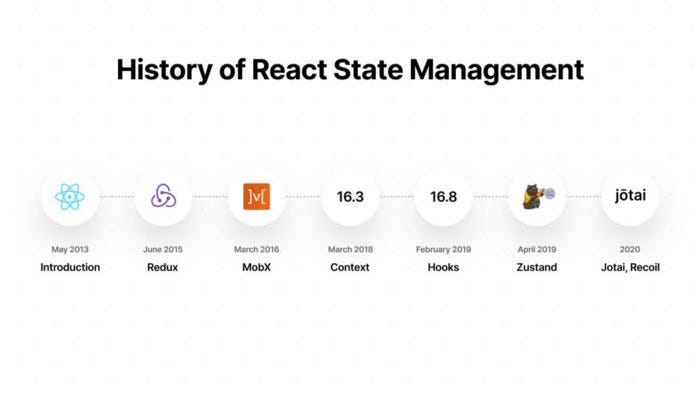
Choose state management libraries like Redux, MobX, Zustand, or Recoil only when the app’s complexity justifies their use. For simpler apps, React’s built-in state and context are often sufficient.
Conclusion
Improper state management in ReactJS can lead to performance bottlenecks, difficult-to-maintain code, and bugs. By adhering to best practices, such as managing state locally when appropriate, avoiding direct mutations, and optimizing re-renders, developers can build scalable and efficient React applications. Recognizing when to use local, lifted, or global state — and employing tools judiciously — is key to mastering state management in React.